
Grade every project
from the same setup.
Each one is the full node tree I grade client work with: balance, skin tones, film emulation, grain structure. Every node is labeled, EXP CON through SHARPEN, so you can read the whole grade at a glance. Import them into Resolve once and they're there for every project after.
Same frame, client-ready.
Move the cursor across the frame. The left side is exactly what came off the card, and the right side is one PowerGrade.

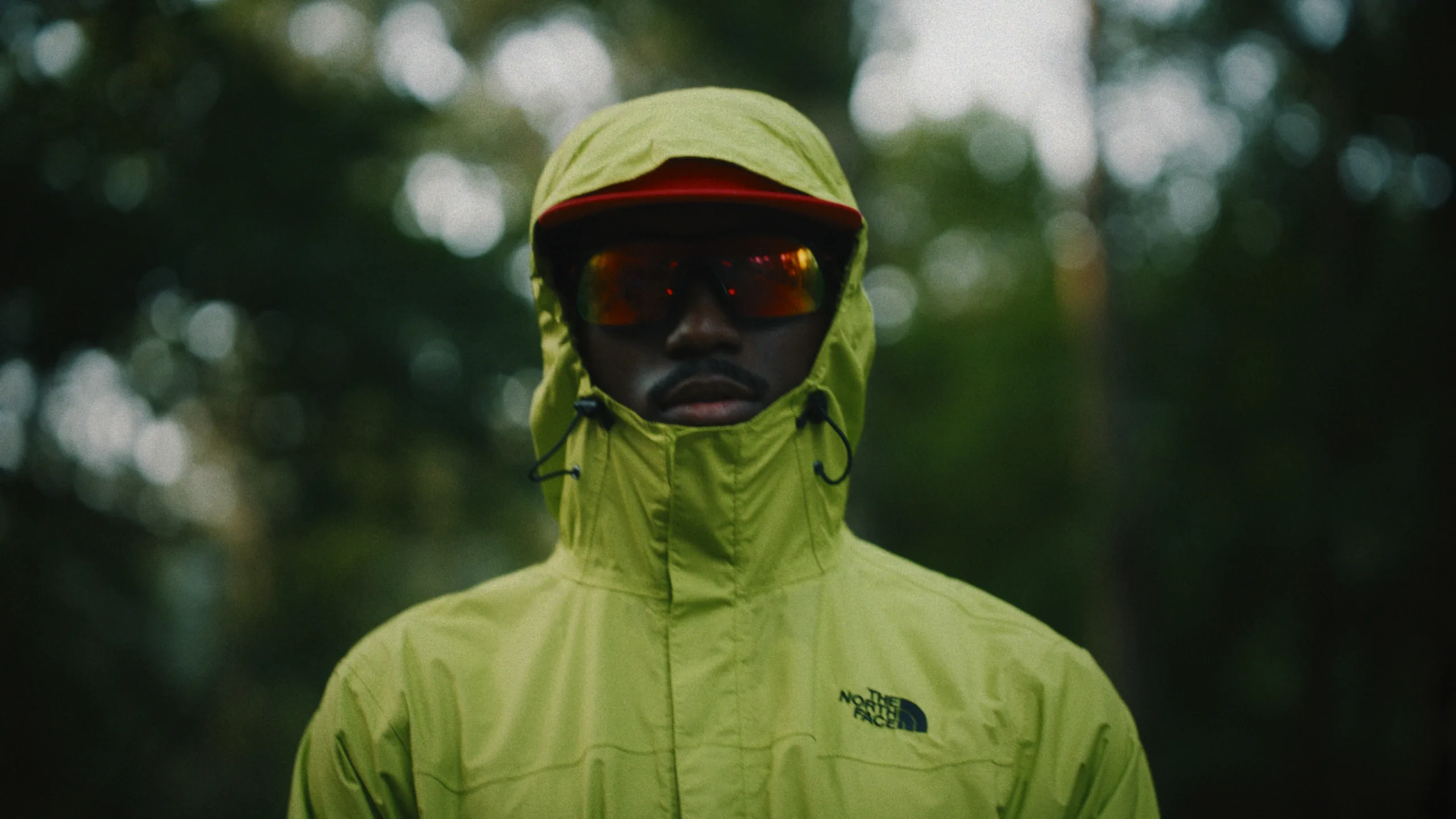
Frame from an outdoor apparel shoot I directed and graded. The flat side is untouched log, straight off the card.
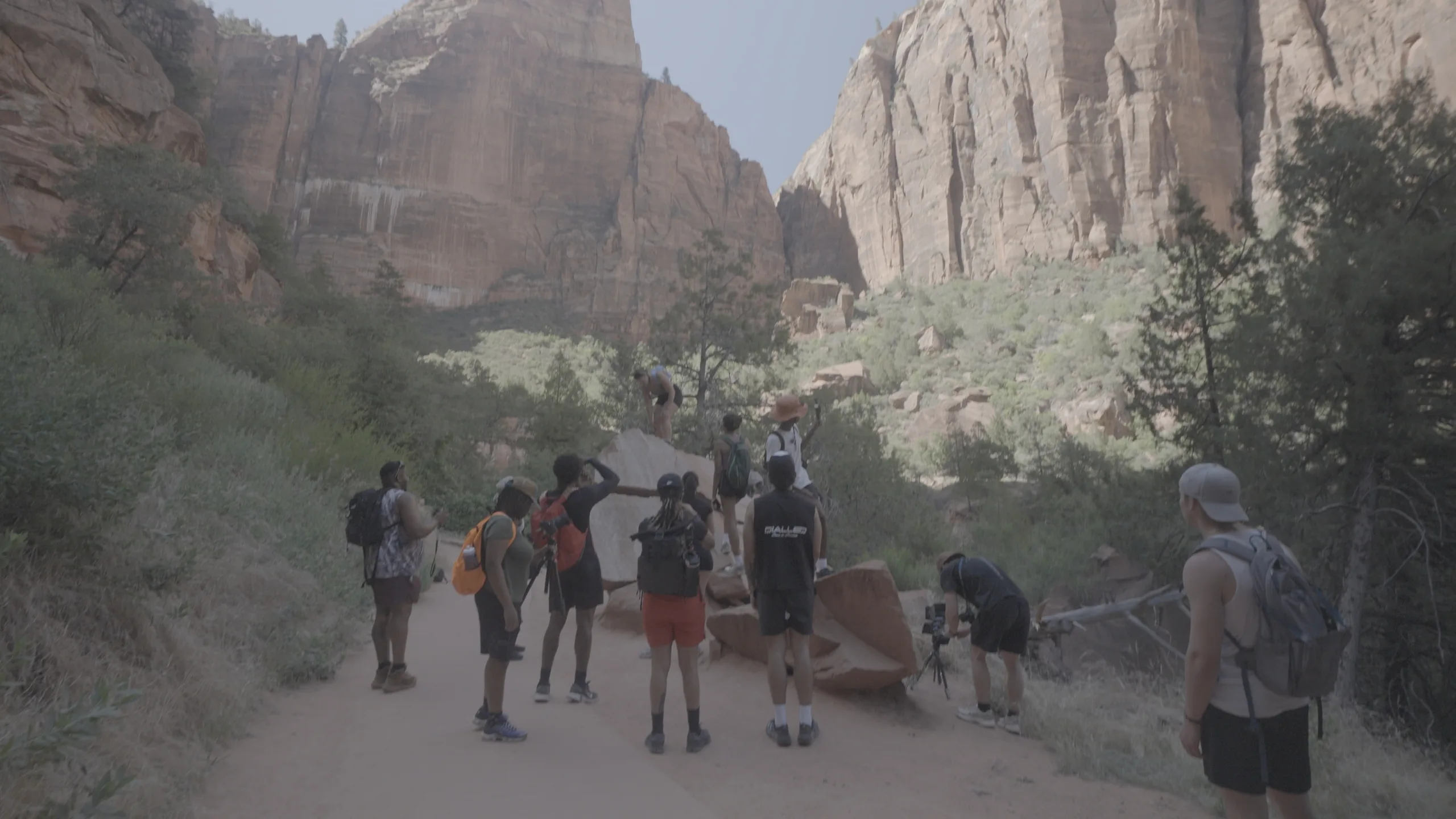
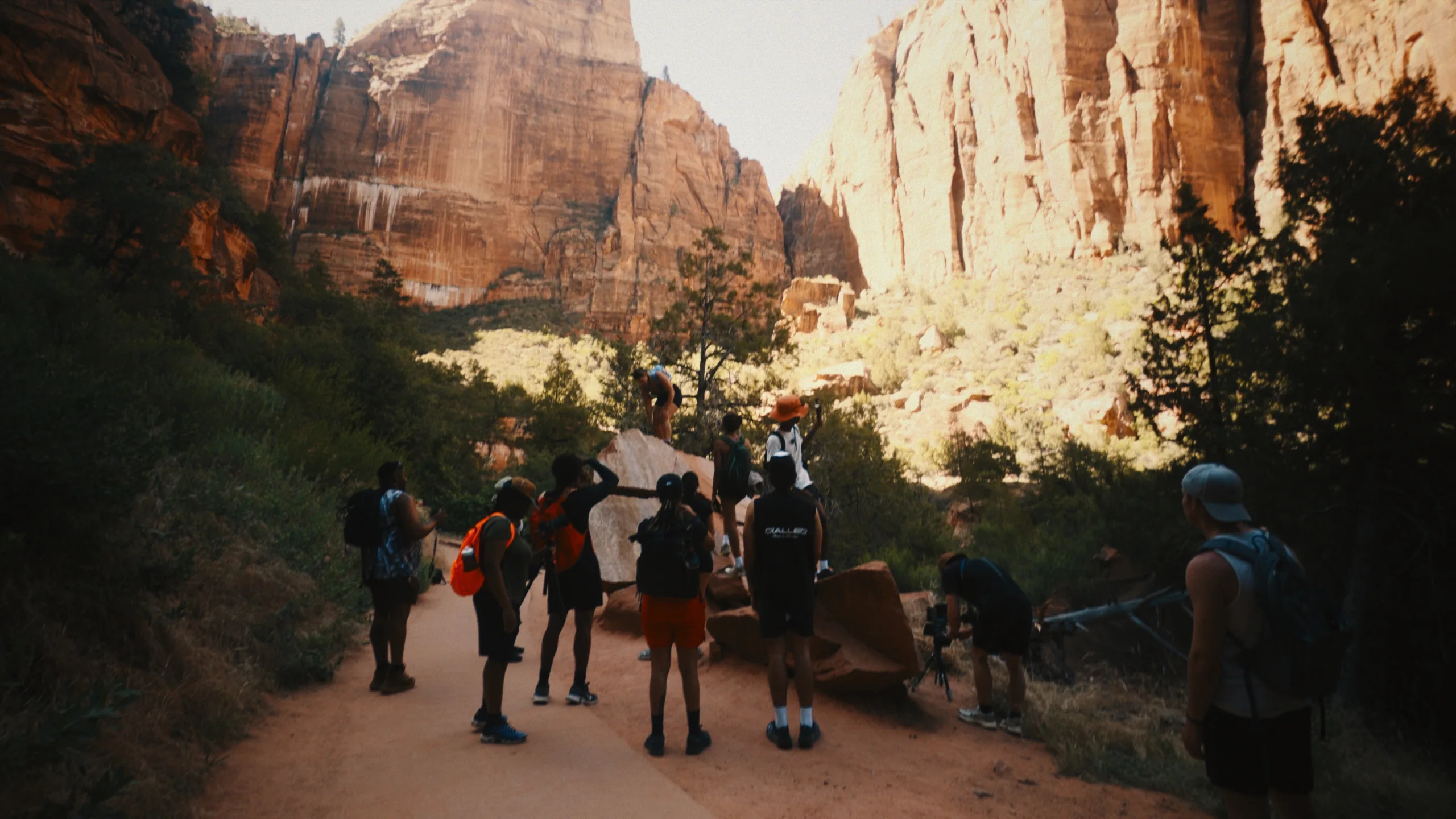
Frame 02 — Canyon trail, hard midday sun.
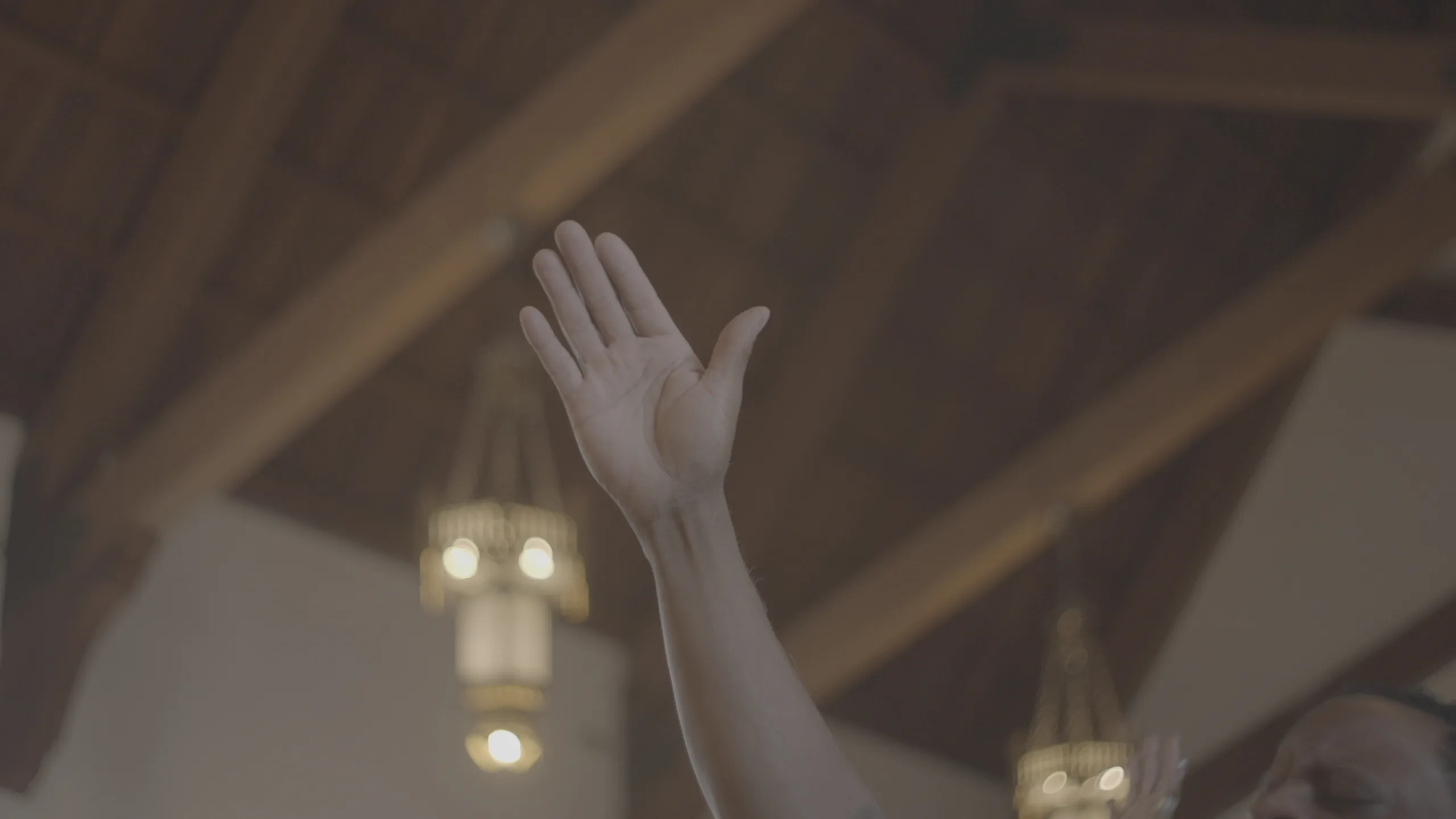

Frame 03 — Sanctuary, available light.
What a PowerGrade actually is
A LUT is one fixed instruction laid over your image. It can't see what's underneath, which is why the pack that looked perfect in the demo turns skin tones orange the moment it touches real client footage. Then you're up the night before a delivery trying to fix a look you can't open. You've felt that, right?
A PowerGrade is the node tree itself, pulled straight from my color page. Balance sits up front, skin gets its own node, film emulation and grain stack behind them in the order a colorist actually builds a look. When something sits wrong on your footage, you open that one node, fix it in minutes, and keep the delivery moving.
That's the difference between renting a look and owning a setup. A tree you can read is a pipeline you can repeat, or hand off to the first editor you hire. The grade that finished this project starts the next one, and the hours color used to eat go back into the business.
Inside the pack
- 01Blueprint VOL 1: the main grade as a complete labeled node tree, .drx plus reference still, and it runs on Resolve alone, no plugins anywhere in the tree
- 02Blueprint Pro Vol 1: the pro tree I grade client work with, built on mono nodes and Dehancer, .drx plus reference still
- 03README links to the free tools the Pro tree uses: Tetra, a free DCTL, and OpenDRT, which stands in for mono nodes
- 04All four Blueprint LUTs in .cube: Golden Hour, Blue Hour, Daylight, Teal and Orange, the full $29 LUT pack included
- 05A Gamma Compensation LUT for export, so your colors keep their contrast on the way out
- 06A HOW TO SETUP video walkthrough that takes you from download to first applied grade
- 07A README with every link plus my email for questions
From download to client-ready
Download the pack
Checkout takes a minute and the files arrive instantly as Resolve-ready .drx grades.
Drop into your gallery
Import them into Resolve's gallery once and they show up in every project after that.
Apply and adjust
Middle-click a grade onto your clip, open the nodes, and tune it to your footage. Save your version back to the gallery and the next project starts ahead.
Who this is for
- ✓Solo videographers carrying every client edit themselves, losing evenings to grades that should take minutes.
- ✓Anyone who's bought LUT packs that broke on skin tones and wants a setup they can open and adjust.
- ✓Agency builders who want a color pipeline the next editor they hire can open, read, and follow.
- ✕This won't rescue underexposed or badly white-balanced footage. No grade recovers what the camera never captured.
- ✕And if you've already built a color pipeline you trust, keep it. You don't need mine.
Questions
Which versions of Resolve do these work in?+
They import through the gallery, which is part of Resolve itself, free and Studio both. If you can open the color page, you can load these.
Do I need any paid plugins for these to work?+
Only for the Pro tree. Blueprint VOL 1, the main grade, runs on Resolve alone, no plugins anywhere in that tree. Blueprint Pro Vol 1 is built on mono nodes and Dehancer, the paid film emulation plugin, so budget for Dehancer if you want the Pro look exactly as I grade it. The README links the free pieces: Tetra, a free DCTL, and OpenDRT, which stands in for mono nodes if you don't own them. And the four looks ship in this pack as .cube LUTs too, so you're grading plugin-free on day one either way. If you only want that lane, it's the Blueprint LUTs pack on its own at $29.
I'm not a colorist. Will I actually be able to read and adjust these trees?+
You don't need to be one. Open the trees and every node is labeled and numbered, EXP CON through SHARPEN, so you can read the whole chain before you touch anything. When a look sits wrong on your footage, you tune the one node responsible instead of building a grade from scratch. The HOW TO SETUP video walks you from download to your first applied grade, and the four LUTs in the pack are the zero-learning-curve lane while you get comfortable in the trees. If anything trips you up, email me at contact@shemakamau.com and I'll point you to the right node.
I own LUT packs already. What's different here?+
A LUT is one baked transform, so when it misses on your footage there's nothing to open. These are full node trees. When the skin runs too warm, you pull back one node and the rest of the grade holds.
Will these work with my camera's footage?+
The front of every tree is a balance node, and that's where your camera meets the grade. Log footage gives the film emulation the most room to work, but nothing here is locked to one brand or sensor. If a look sits wrong, you adjust a node instead of shopping for another pack.
Can I use these on client work, and what if something breaks?+
Client work is the point, so grade every paid project you take. The only thing off the table is resharing or reselling the files. These are digital files delivered instantly, and if a grade won't load or won't behave, email me and we'll make it right.
From people grading with this
Verified buyer reviews · Cineflow on Gumroad (rated 5.0) and Blueprint customers
“A plug in that made my life so much easier! Also gave me the capability to control every aspect of my color.”
“Improved my color grading significantly!”
“Saved me time and stress on editing”
“Saved me time and stress on color grading my videos”
“these power grades are easily the best on the market... my footage has never looked better + the amount of compliments I receive is ridiculous. FR do yourself a favour and get the grades 🤝”
“Great product, easy to use and transformed my log footage to a beautifully styled grade”
“THIS CHANGED MY LIFE THANK YOU SHEMA YOURE AMAZING”
“These LUTs have changed how I color grade my videos with a simple drag and drop, then using the powergrade that Shema also provides in his shop to get the most out of them.”
“Shema's powergrade is honestly a lifesaver for me, because I always relied on LUTs and fixing them by what looks right. Now that I have the powergrade, I actually have a system and correct way of making my videos look good without just moving random sliders.”
“Made my footage fire!”
“This is my second pack now from Shema and these have made my coloring and editing process more streamlined and less stressful. Highly recommend!”
“This turned into a plugin for my work. Simple to understand and use. Minor adjustments turned into major results!”
“LUT packs like this make my workflow so effective!”
“Powergrades like this make my workflow so effective!”
“Hi Shema, hows the weather out there!?”
“haven’t tried it yet but thank you shema!!”
“Game changer - going to save many hours and headaches creating and dialing in nodes. Quality and colors is A1”
“seamless creative look for my documentaries and athlete spotlights”
“These power grades are 100% worth it, improves my workflow by a million. Thank you Shema !”
“Created less friction and helped me produce high quality content at a faster rate for my clients, allowing me to pick up more work than I thought I had capacity for. One of my best investments to date!”
“Great Powergrade. Would use again”
“Bro this completely changed my color grading workflow! The pack is a must have”
“Thank You Shema!!!! These LUTS look insaneee in my new project!”
“w luts man, the powergrade is also user friendly. i recommend for whoever starting colograding!”
“Thanks so much for these resources bro! Much love from Cape Town, South Africa”
“Made editing easier 😮💨”
“A plug in that made my life so much easier! Also gave me the capability to control every aspect of my color.”
“Improved my color grading significantly!”
“Saved me time and stress on editing”
“Saved me time and stress on color grading my videos”
“these power grades are easily the best on the market... my footage has never looked better + the amount of compliments I receive is ridiculous. FR do yourself a favour and get the grades 🤝”
“Great product, easy to use and transformed my log footage to a beautifully styled grade”
“THIS CHANGED MY LIFE THANK YOU SHEMA YOURE AMAZING”
“These LUTs have changed how I color grade my videos with a simple drag and drop, then using the powergrade that Shema also provides in his shop to get the most out of them.”
“Shema's powergrade is honestly a lifesaver for me, because I always relied on LUTs and fixing them by what looks right. Now that I have the powergrade, I actually have a system and correct way of making my videos look good without just moving random sliders.”
“Made my footage fire!”
“This is my second pack now from Shema and these have made my coloring and editing process more streamlined and less stressful. Highly recommend!”
“This turned into a plugin for my work. Simple to understand and use. Minor adjustments turned into major results!”
“LUT packs like this make my workflow so effective!”
“Powergrades like this make my workflow so effective!”
“Hi Shema, hows the weather out there!?”
“haven’t tried it yet but thank you shema!!”
“Game changer - going to save many hours and headaches creating and dialing in nodes. Quality and colors is A1”
“seamless creative look for my documentaries and athlete spotlights”
“These power grades are 100% worth it, improves my workflow by a million. Thank you Shema !”
“Created less friction and helped me produce high quality content at a faster rate for my clients, allowing me to pick up more work than I thought I had capacity for. One of my best investments to date!”
“Great Powergrade. Would use again”
“Bro this completely changed my color grading workflow! The pack is a must have”
“Thank You Shema!!!! These LUTS look insaneee in my new project!”
“w luts man, the powergrade is also user friendly. i recommend for whoever starting colograding!”
“Thanks so much for these resources bro! Much love from Cape Town, South Africa”
“Made editing easier 😮💨”
You've already seen the difference.
Everything in this pack came out of seven years of grading client work, and it costs $49, less than one line item on your next invoice. If it saves you one late night on one delivery, it has paid for itself. Take the setup.